
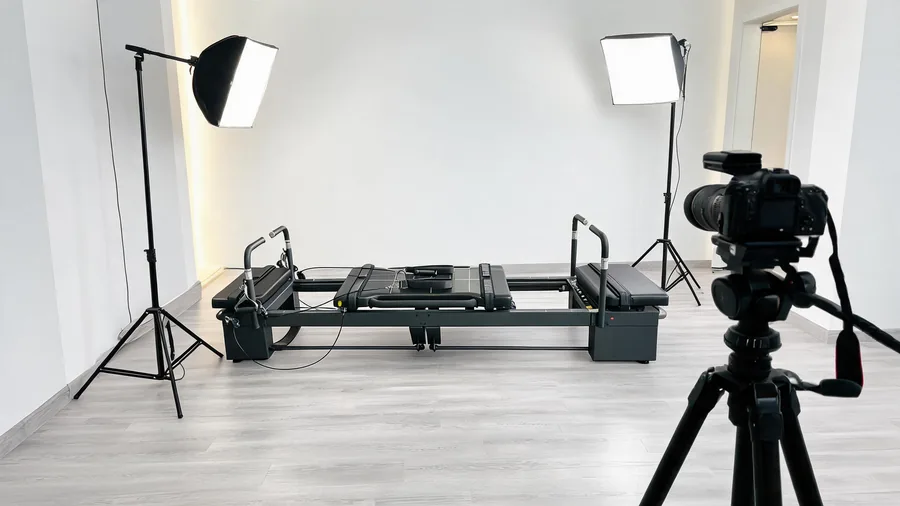
การสร้างคอนเทนต์วิดีโอระดับมืออาชีพบนรีฟอร์เมอร์พิลาทิสต้องใช้มากกว่าสมาร์ทโฟน เครื่อง ชุดถ่ายวิดีโอ YouTube ด้วยรีฟอร์เมอร์พิลาทิส เปลี่ยนการบันทึกคลาสธรรมดาให้เป็นคอนเทนต์ที่ขัดเกลาและน่าสนใจ ซึ่งช่วยสร้างตัวตนออนไลน์ของสตูดิโอคุณ ไม่ว่าคุณจะถ่ายวิดีโอสอน ไลฟ์สตรีมคลาส หรือผลิตคอนเทนต์สั้นสำหรับโซเชียลมีเดีย ตำแหน่งกล้อง แสง และอุปกรณ์เสียงที่เหมาะสมคือความต่างระหว่างฟุตเทจมือสมัครเล่นกับงานระดับออกอากาศ
คู่มือนี้ครอบคลุมทุกเรื่องที่ต้องรู้ในการจัดชุดถ่ายวิดีโอด้วยรีฟอร์เมอร์ เราพูดถึงมุมกล้องเฉพาะกับการเคลื่อนที่ของแคร่เลื่อน วิธีจัดแสงที่ขจัดแสงสะท้อนจากอุปกรณ์ ชุดเสียงที่เก็บคำสั่งสอนได้ชัดแม้มีเสียงสปริง และการปรับผังสตูดิโอเพื่อสร้างสถานีผลิตคอนเทนต์โดยไม่รบกวนคลาสปกติ
1. ชุดถ่ายวิดีโอ YouTube ด้วยรีฟอร์เมอร์พิลาทิส: ตำแหน่งและมุมกล้อง
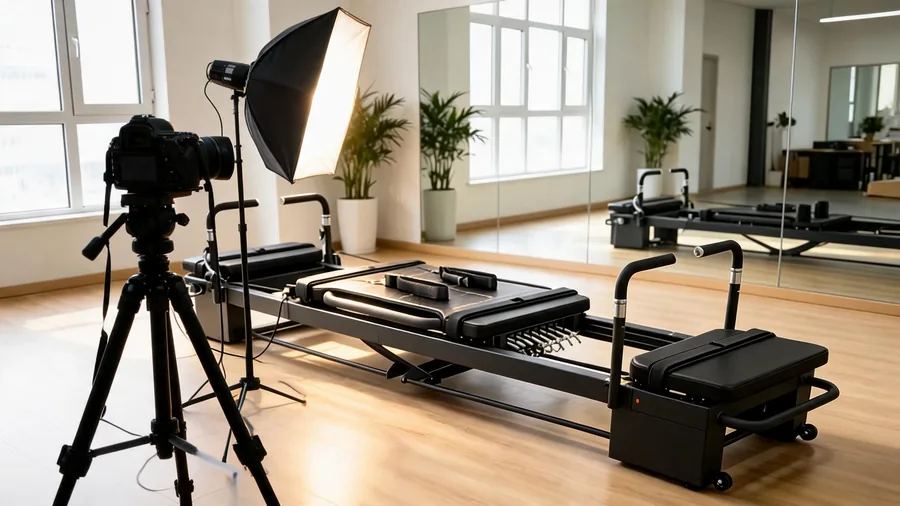
รูปร่างที่ยาวของรีฟอร์เมอร์ทำให้ตำแหน่งกล้องสำคัญมากในการเก็บทั้งการสาธิตของครูและการเคลื่อนไหวของลูกค้า มุมกล้องเดียวมักเก็บทั้งตำแหน่งร่างกายเต็มตัวและการจัดสปริงได้ไม่ชัด นี่คือชุดกล้องที่แนะนำสำหรับคอนเทนต์แต่ละแบบ
สำหรับชุดกล้องสามตัวเพื่อ ถ่ายวิดีโอคลาสพิลาทิส ให้ติดกล้องตัวหนึ่งบนราวเพดานเหนือแคร่เลื่อนโดยตรงเพื่อเก็บตำแหน่งร่างกายเต็มตัว วางกล้องตัวที่สองที่ความสูงระดับแคร่ ห่างจากรีฟอร์เมอร์ 2–3 เมตร เพื่อเก็บการเคลื่อนไหวด้านข้าง และวางกล้องตัวที่สามใกล้คานวางเท้าเพื่อเก็บภาพมุมที่หันมาทางครู การจัดแบบนี้ให้คอนเทนต์วิดีโอระดับมืออาชีพที่แสดงเทคนิคท่าและแนวร่างกายได้ชัดเจน
2. การจัดแสงสำหรับการสร้างคอนเทนต์พิลาทิส
ชุดถ่ายวิดีโอ YouTube ด้วยรีฟอร์เมอร์พิลาทิสที่สมบูรณ์ต้องมีแสงที่ดี เพราะโครงเครื่องที่เคลือบสีฝุ่นและเบาะไวนิลทำให้เกิดแสงสะท้อนจัดเมื่อแสงไม่ดี สตูดิโอหลายแห่งประสบปัญหาเรื่อง แสงสำหรับถ่ายวิดีโอรีฟอร์เมอร์ เมื่อใช้หลอดฟลูออเรสเซนต์บนเพดานซึ่งทอดเงาลงมาบนผิวแคร่
ใช้ไฟ LED ซอฟต์บ็อกซ์สองดวง (60 ซม. x 90 ซม. หรือใหญ่กว่า) วางทำมุม 45 องศากับแกนยาวของรีฟอร์เมอร์ ตั้งแต่ละดวงสูงประมาณ 2 เมตร ส่องลงมาในมุม 30 องศา รักษาอุณหภูมิสี 5,200–5,600 K (สมดุลแสงธรรมชาติ) เพื่อให้โทนผิวสม่ำเสมอ เพิ่มไฟด้านหลังดวงที่สามหลังลูกค้าเพื่อแยกตัวแบบออกจากฉากหลังและเพิ่มมิติให้ภาพ
สตูดิโอที่ผลิตคอนเทนต์ทุกวันควรลงทุนชุดไฟสามจุด ซึ่งปกติราคา 500–1,500 ดอลลาร์ แต่เปลี่ยนฟุตเทจจากสมาร์ทโฟนให้ดูเป็นงานมืออาชีพ แนวทางจาก American Council on Exercise (ACE) ยังแนะนำให้ลงทุนในคุณภาพการผลิตวิดีโอสำหรับโปรแกรมออกกำลังกายออนไลน์ หลีกเลี่ยงการผสมแสงธรรมชาติจากหน้าต่างกับแสงประดิษฐ์ เพราะอุณหภูมิสีที่เปลี่ยนไปทำให้ต้องปรับไวต์บาลานซ์ตลอดเวลาระหว่างตัดต่อ
3. อุปกรณ์เสียงและการจัดการเสียงรบกวนจากรีฟอร์เมอร์
ในชุดถ่ายวิดีโอ YouTube ด้วยรีฟอร์เมอร์พิลาทิสทุกชุด คุณภาพเสียงมักสำคัญกว่าคุณภาพภาพสำหรับคอนเทนต์ออกกำลังกายออนไลน์ ลูกค้าฟังคำสอนของคุณอย่างตั้งใจ และเสียงรบกวนจากสปริงที่ดังเอี๊ยด รอกเชือก และการเคลื่อนของแคร่คือข้อร้องเรียนที่พบบ่อยที่สุดเกี่ยวกับวิดีโอรีฟอร์เมอร์
เพื่อให้ได้ การผลิตวิดีโอในสตูดิโอ ที่เสียงดีที่สุด ให้ใช้ไมโครโฟนลาวาเลียร์ไร้สายหนีบที่เสื้อครู เพื่อเก็บเสียงพูดได้ชัดพร้อมตัดเสียงรบกวนจากอุปกรณ์รอบข้าง ไมโครโฟนช็อตกันบนแขนบูมวางห่างจากรีฟอร์เมอร์ 1–1.5 เมตรเป็นแทร็กเสียงสำรอง ซิงก์ทั้งสองแทร็กตอนตัดต่อเพื่อเสียงระดับมืออาชีพ
เพื่อลดเสียงรบกวนจากรีฟอร์เมอร์ระหว่างถ่าย ให้พ่นสเปรย์ซิลิโคนที่จุดยึดสปริงและทำความสะอาดรางก่อนเริ่มบันทึก รีฟอร์เมอร์ระดับพาณิชย์ที่มีตลับลูกปืนแบบปิดผนึกและฐานสปริงลดแรงสั่นสะเทือนจะเกิดเสียงน้อยกว่าอย่างชัดเจน ซึ่งยืนยันโดยใบรับรองการตรวจสอบคุณภาพ GZHL2601000020601SP ที่มีข้อมูลทดสอบเสียงสปริงต่ำกว่า 45 dB ที่ระยะ 1 เมตร
4. เลย์เอาต์สตูดิโอและการออกแบบสถานีผลิตคอนเทนต์
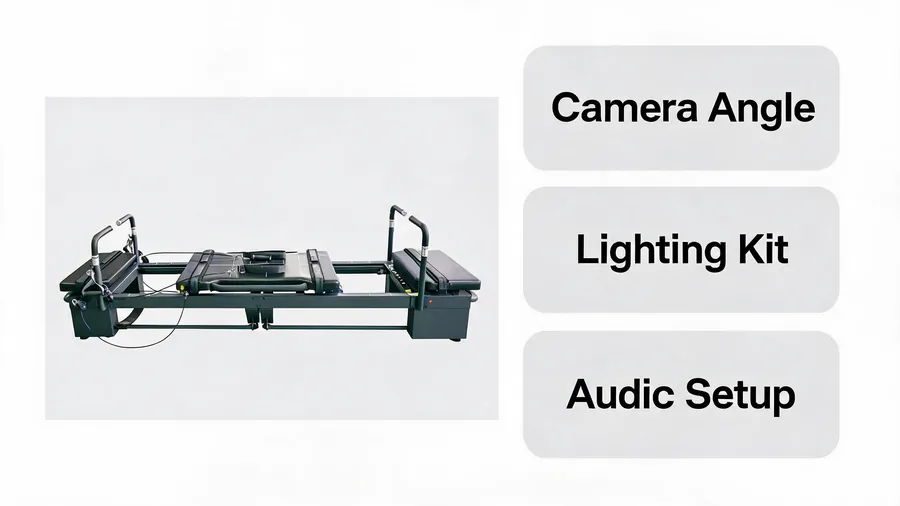
กำหนดรีฟอร์เมอร์หนึ่งเครื่องเป็นสถานีผลิตคอนเทนต์โดยเฉพาะ เพื่อชุดถ่ายวิดีโอ YouTube ด้วยรีฟอร์เมอร์พิลาทิสที่ได้มาตรฐานและช่วยให้ การผลิตคอนเทนต์รีฟอร์เมอร์ เป็นไปอย่างราบรื่นโดยไม่รบกวนตารางคลาสปกติ วางรีฟอร์เมอร์สำหรับคอนเทนต์ชิดผนังเรียบสีกลาง (เทาอ่อน บีจอ่อน หรือขาว) หลีกเลี่ยงผนังที่มีลวดลายและกระจกด้านหลังรีฟอร์เมอร์ เพราะทำให้ภาพรกและเกิดการสะท้อนในกล้อง
ให้มีช่องว่างด้านละ 1.5 เมตร และด้านคานวางเท้า 2 เมตรสำหรับขาตั้งกล้องและอุปกรณ์ไฟ ติดตั้งปลั๊กไฟใกล้ ๆ สำหรับชาร์จแบตกล้องและจ่ายไฟให้โฟมไลต์ เก็บชุดอุปกรณ์เฉพาะ ทั้งกล้อง ขาตั้ง ไมค์ และไฟ ไว้ใกล้สถานี เพื่อให้ติดตั้งเสร็จภายใน 10 นาที
5. การวางแผนคอนเทนต์และตารางการผลิต
เมื่อมีชุดถ่ายวิดีโอ YouTube ด้วยรีฟอร์เมอร์พิลาทิสที่พร้อมแล้ว ให้จัดเวลาเช้าหนึ่งวันต่อสัปดาห์สำหรับ การวางแผนคอนเทนต์พิลาทิสถ่ายท่าออกกำลังกายบนรีฟอร์เมอร์ 3–4 ท่า (แต่ละท่ามีการจัดท่า สาธิต และคำแนะนำ) ในเซสชันเดียว 2 ชั่วโมง จะได้วัตถุดิบสำหรับโพสต์โซเชียลมีเดีย 4–6 ชิ้นและวิดีโอ YouTube 1 คลิปต่อสัปดาห์ ตลอดหนึ่งปีตารางนี้ให้โพสต์โซเชียลมีเดียกว่า 200 ชิ้นและวิดีโอสอน 48 คลิป
สำหรับวิดีโอสอนบน YouTube ให้เน้นท่าที่แสดงพัฒนาการทางภาพได้ชัด เช่น ท่าฝึกเท้า ท่าเตรียม hundred ท่าฝึกการประสานสัมพันธ์ และท่าบริหารกระดูกสันหลังช่วงสั้น ท่าเหล่านี้ถ่ายเป็นวิดีโอได้ดีและดึงทราฟฟิกค้นหาจากลูกค้าที่ต้องการคำแนะนำเทคนิคเฉพาะ YouTube Creator Academy มีแหล่งข้อมูลฟรีเรื่องการปรับคอนเทนต์ฟิตเนสให้ติดการค้นหาและรักษาผู้ชมไว้ได้
6. คำถามที่พบบ่อย
กล้องตัวไหนดีที่สุดสำหรับถ่ายคลาสรีฟอร์เมอร์?
กล้องมิเรอร์เลสที่ถ่ายวิดีโอ 4K ได้ (เช่น Sony A6400 หรือ Canon EOS R10) พร้อมเลนส์มุมกว้างใช้ได้ดีกับคอนเทนต์รีฟอร์เมอร์ สำหรับภาพจากด้านบน กล้อง GoPro หรือเว็บแคมติดเพดานให้ภาพครอบคลุมสม่ำเสมอ สตูดิโอหลายแห่งเริ่มจากสมาร์ทโฟนแล้วอัปเกรดเมื่อคลังคอนเทนต์โตขึ้น
จะลดเสียงรบกวนจากรีฟอร์เมอร์ในวิดีโอได้อย่างไร?
ใช้สารหล่อลื่นซิลิโคนที่จุดยึดสปริงทุกเดือน ตรวจให้ตลับลูกปืนของแคร่สะอาดและปรับตั้งถูกต้อง และปูเสื่อยางใต้รีฟอร์เมอร์เพื่อดูดซับแรงสั่นสะเทือน สำหรับการบันทึกที่สำคัญ ให้ใช้ไมโครโฟนติดปกเสื้อที่ตัดเสียงรอบข้างและเก็บเฉพาะเสียงครู
ถ่ายคลาสรีฟอร์เมอร์ด้วยสมาร์ทโฟนอย่างเดียวได้ไหม?
ได้ ชุดถ่ายวิดีโอ YouTube ด้วยรีฟอร์เมอร์พิลาทิสที่ใช้สมาร์ทโฟนให้คุณภาพดีเยี่ยมได้หากมีแสงดี ใช้ที่จับขาตั้งกล้อง วางโทรศัพท์เหนือศีรษะหรือทำมุมด้านข้าง 45 องศา และต่อไมโครโฟนลาวาเลียร์ไร้สาย สำหรับคอนเทนต์จากสมาร์ทโฟน การจัดแสงสำคัญกว่าตัวกล้อง
7. คู่มือที่เกี่ยวข้อง
- คู่มือปรับพนักพิงศีรษะ Pilates Reformer
- Pilates Reformer ที่ดีที่สุดสำหรับใช้ในสตูดิโอ
- รีฟอร์เมอร์ระดับพาณิชย์สำหรับสตูดิโออาชีพ
บทสรุป
การวางแผนอย่างดีด้วย ชุดถ่ายวิดีโอ YouTube ด้วยรีฟอร์เมอร์พิลาทิส จะยกระดับคุณภาพคอนเทนต์ของสตูดิโอและช่วยดึงดูดลูกค้าผ่านการมองเห็นออนไลน์ สามสิ่งจำเป็นคือตำแหน่งกล้องด้านบนเพื่อสาธิตท่าให้ชัด แสงแบบฟุ้งเพื่อขจัดแสงสะท้อนจากอุปกรณ์ และไมโครโฟนลาวาเลียร์ไร้สายเพื่อเสียงระดับมืออาชีพ สตูดิโอที่ลงทุนในสถานีผลิตคอนเทนต์เฉพาะจะผลิตวิดีโอคุณภาพสูงได้อย่างสม่ำเสมอ ซึ่งสร้างความน่าเชื่อถือของแบรนด์และช่วยหาลูกค้าใหม่
If you want to film on a real studio floor, the หน้าโชว์รูม covers how to visit ours.